
How To Test Golf Cart Controller?
Power safety first: the golf cart controller is the drive system’s heart, and a failure here can stall on hills or waste energy. The spec that matters most is the controller voltage window that matches your battery pack, usually 36 or 48 V. The common mistake is testing with an unregulated power supply that can spike current and blow fuses. Start by checking the controller label for voltage and amperage ratings.
Golf cart controller testing involves three practical steps. First, visually inspect the main harness and connectors for cracks or corrosion near joints. Second, bench test with a power supply at
Identify Controller Type

Golf cart controllers fall into three core families: resistor-based DC controllers, PWM-based DC controllers, and AC drive systems with an AC motor. Each type regulates speed differently and has distinct wiring, connectors, and visible hardware. Start by noting the motor type and inspecting the controller label or wiring harness to classify the controller quickly.
| Controller Type | Motor Type | Typical Voltage | Throttle Interface | Testing Clues |
|---|---|---|---|---|
| Resistor-based DC | Brushed DC series | 24 – 48 V common | Potentiometer or simple switch | Visible ballast resistors, high heat, few electronics |
| PWM-based DC | Brushed DC or PM motor | 36 – 72 V common | Potentiometer or hall sensor, may include digital link | MOSFETs with heatsink, smooth throttle response |
| AC drive | AC motor (induction or PM) | 48 – 96 V or higher | Digital throttle, diagnostic link | Inverter module present, three-phase wiring |
Practical quick-checks: read the motor nameplate to confirm voltage and motor type, then inspect the controller lid for a label stating the family or part number. If the wiring includes large ballast resistors, you are likely in the resistor-based camp; if you see a multi MOSFET array on a heat sink, leaning toward PWM; if you find three-phase cables and an inverter, the AC drive is in use. This classification guides safe testing approach and appropriate safety precautions.
Gather Necessary Tools
A digital multimeter, a screwdriver set, and proper safety gear are essential for testing the golf cart controller. The multimeter lets you verify voltages and signals on the controller harness, the screwdrivers provide access to the enclosure and terminal screws, and safety gear protects you from shocks and short circuits during the work.
| Item | Amount/Specification | Notes |
|---|---|---|
| Multimeter | Digital, auto-ranging | Measure B+ to ground, check input/output signals, test continuity on controller harness |
| Screwdrivers | Set: Phillips and flat-head, assorted sizes | Access enclosure screws and terminal blocks; use insulated handles |
| Safety Gear | Safety glasses + insulated gloves | Protect eyes from sparks; gloves reduce shock risk; ensure gloves are rated for electrical work |
| Insulated Pliers/Wire Cutters | 1 set | Trim or bend wires without damaging insulation; helpful for probing connectors |
| Non-conductive Work Surface | 1 mat or tray | Keeps components from contacting metal surfaces; lowers short-circuit risk |
| Test Leads/Probes | Multipurpose probes with alligator clips | Allows probing without stressing connector pins; keep spare leads handy |
Visual Inspection Steps
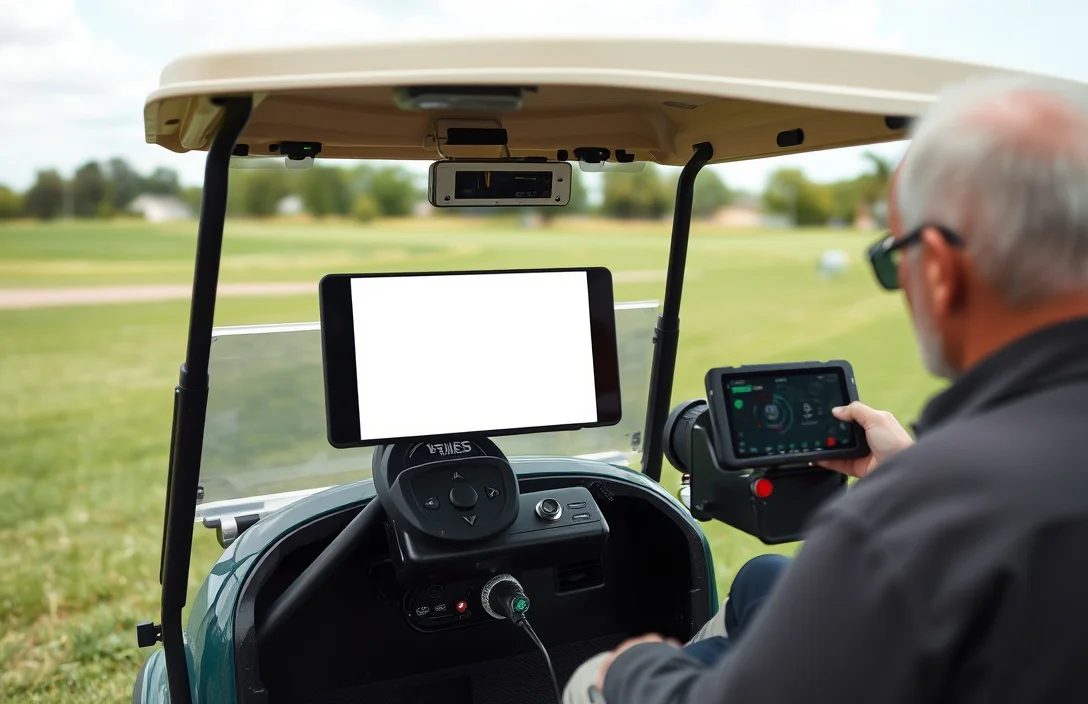
Inspect the controller area for signs of damage, overheating, or moisture. Look for cracks in the housing, melted insulation, corrosion on terminals, and loose or frayed wires. Ensure protective covers and seals are intact to keep dirt and water out.
Test Voltage Output
Voltage across the motor output leads should track the pack voltage when the throttle is pressed and drop to near zero at idle. A healthy controller will deliver close to the pack voltage at full throttle, with only small losses from wiring and switches. Use a DC voltmeter on the motor-output pair and the appropriate voltage range for your pack (36, 48, or 72 V).
Expected Voltage Ranges
| System Type | Nominal Pack Voltage | Full-Throttle Motor Output (approx) | Notes |
|---|---|---|---|
| 36 V lead-acid | 36 V | ~36 – 38 V | Idle around 0 V |
| 48 V lead-acid or Li-ion | 48 V | ~48 V | Minor drop under load |
| 72 V systems | 72 V | ~72 V | High-current wiring; exercise care |
In practice, expect a smooth transition as you move from idle to full throttle. If the reading never rises above a fraction of the pack voltage or spikes, stop and recheck the harness and controller, then consult the service manual for the specific controller model.
Check for Continuity

Disconnect the pack and harness, then test with a digital multimeter in continuity or low-resistance mode. Look for no direct shorts between power rails and no unintended paths to ground; readings should stay open until the load is energized. This baseline helps verify the controller’s internal switch network before applying power.
Follow these steps to check for shorts and open paths across the harness and the controller pins.
| Test Point | Expected Result | Interpretation |
|---|---|---|
| Battery + to Battery – | No continuity | No internal short; power rail isolation intact |
| Battery + to Motor Phase 1 | No continuity | Phases isolated when unpowered |
| Battery – to Motor Phase 2 | No continuity | No unintended ground path via motor winding |
| Control input pins to rails | No direct short | Inputs are correctly isolated until actual control signal is applied |
Even when readings look OK, a subtle internal fault can appear only under load. If you find any unexpected continuity, do not power the unit further; recheck connectors, and consult the service manual or a qualified technician before wiring it back into the system.
Interpreting results and next steps. Pass values indicate the harness and controller have no obvious shorts at rest, allowing you to proceed to functional tests. Failures point to an internal fault or a damaged connector plant; replace the controller or repair the harness as advised by the manual, and retest to confirm the issue is resolved.
Analyze Control Inputs
Throttle input translates to proportional controller response, so you should see a smooth, linear increase in acceleration as the pedal is pressed. Verify the signal from the throttle to the controller is linear from 0 to 100 percent and remains stable under steady pressure.
Brake input should cut propulsion promptly when the pedal is pressed and return to idle when released. The brake signal must be clean, with no intermittent readings that could cause unintended movement.
Testing Throttle Input
Testing Brake Input
| Input Signal | Expected Range | Verification Method | Common Issues |
|---|---|---|---|
| Throttle | 0 – 100% proportional | Live readout of pedal position to controller input | Loose connector, dirty pot, damaged cable |
| Brake | 0 – 100% or disengaged/engaged | Brake switch state in data log or controller input | Misadjusted switch, water ingress, worn components |
Safety reminder: keep area clear of bystanders, use wheel chocks, and disconnect power before wiring or connector work. If any signal remains unstable after inspection, consult a qualified technician before operating the vehicle.
Evaluate Controller Behavior
Under load, the controller should deliver steady current and voltage without abrupt drops or faults. Use a known-good battery pack and a clamp-on ammeter, then monitor motor RPM, supply voltage, current, and controller temperature as you apply throttle gradually.
Prepare for safe testing by ensuring all wiring is tight, insulation intact, and cooling paths clear. Have a clear ramp curve ready, and stay within the controller’s rated specs and thermal limits.
| Indicator | Normal | What to Do |
|---|---|---|
| Current under load | Within controller rating without sharp spikes | If spikes occur, check wiring, sensors, and motor load alignment |
| Voltage sag | Minimal sag from no-load to full-load within spec | Investigate battery health, connections, and cable gauge |
| RPM response | Smooth and proportional to throttle | Look for lag, stalling, or overshoot; verify throttle signal path |
| Temperature | Controller stays within thermal limits | Improve cooling, reduce ambient heat, or assess duty cycle |
Safety note: if temperatures rise rapidly or protective shutdowns trigger, stop testing and reassess cooling and wiring before continuing.
Signs of malfunction during a test include abrupt current spikes, erratic RPM changes, repeated fault codes, or unexpected limp mode. If any of these occur, proceed to Troubleshooting Common Issues in the next section and verify geometry, wiring, and the integrity of sensors before continuing with further tests.
Troubleshooting Common Issues
Testing a golf cart controller requires verifying that the unit powers on, diagnostic indicators report valid codes, and input signals from the pedal and direction controls produce expected output under safe load. Record any fault codes and measure key rails and motor leads during a controlled test to confirm the controller responds as designed. Use these findings to map symptoms to likely causes and prioritize fixes.
Quick Summary
Testing a golf cart controller involves specific steps to ensure proper functionality and safety.
Frequently Asked Questions
What should I check first when my golf cart controller is not responding?
You should first inspect the connections and wiring for any signs of damage or disconnection. A loose or corroded connection can prevent the controller from functioning properly.
How can I safely test the voltage output of my golf cart controller?
Use a multimeter to check the voltage output, ensuring it falls within the specified range for your controller, typically around 48 volts for most electric golf carts. This will help determine if the controller is operating as expected.
Can overheating indicate a problem with my golf cart controller?
Yes, excessive heat can be a sign of a malfunction, such as a short circuit or overload. If the controller is consistently above 140 degrees Fahrenheit, it may need professional inspection or replacement.
What is the average lifespan of a golf cart controller?
A golf cart controller typically lasts around 5 to 10 years depending on usage and maintenance. Regular checks can help extend its life and prevent premature failure.
What common mistakes should I avoid when testing my golf cart controller?
A common mistake is not disconnecting the battery before testing. Always ensure the battery is disconnected to prevent short circuits or electrical shocks while testing the controller.