How To Check A Golf Cart Battery?
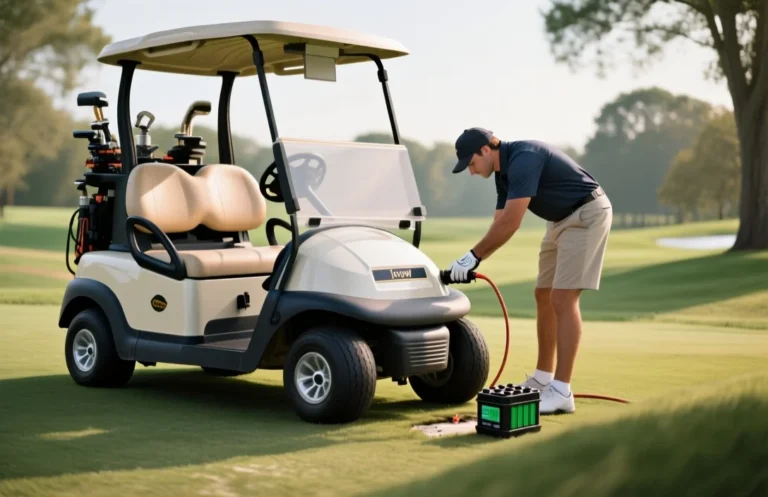
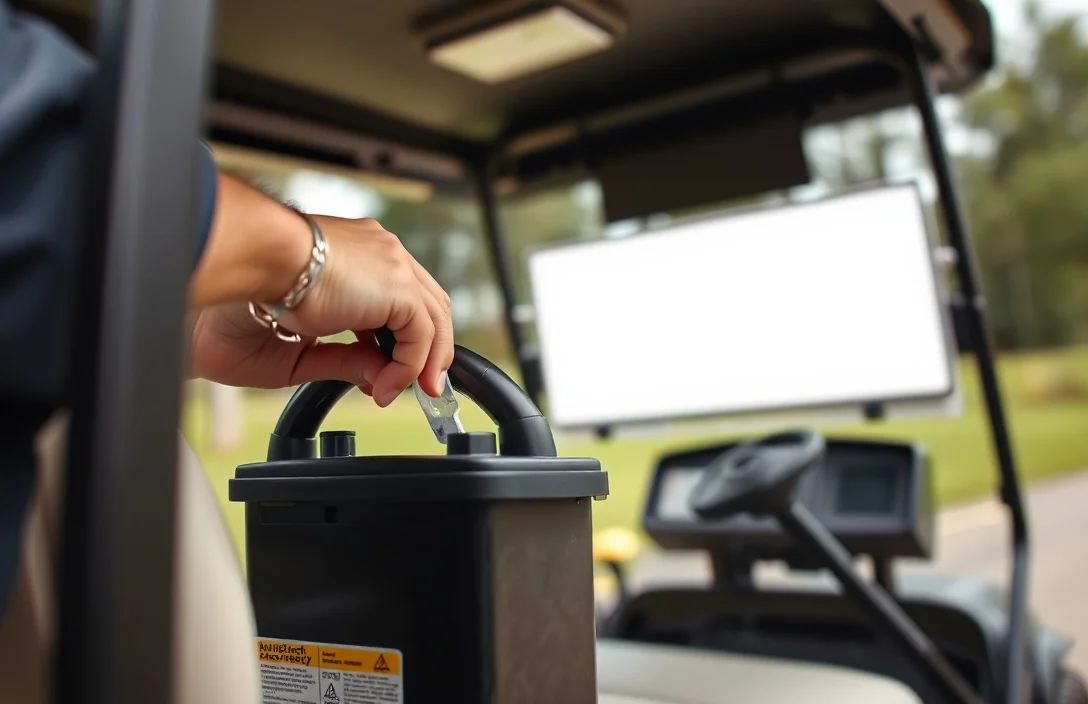
How to check a golf cart battery? comes down to matching the advice to your situation instead of following a generic checklist. I will focus on the main decision points, the tradeoffs that matter most, and the practical next steps you can use before spending time or money.
Why Check Golf Cart Batteries?

Periodic inspections keep golf cart batteries delivering power and extend overall life. Small issues like loose terminals, corrosion, or low electrolyte levels escalate into reduced capacity and unexpected downtime if left unchecked.
Regular checks help identify warning signs before they become costly failures. They also help you balance the cells, optimize charging, and plan maintenance to maximize cycle life.
| Symptom | Likely Cause | Recommended Action |
|---|---|---|
| Rapid voltage drop under load | High internal resistance or sulfation | Recharge and perform a controlled discharge test; if persists, evaluate replacement or cell balancing for flooded cells |
| Terminal corrosion beyond light buildup | Electrolyte leakage or oxidation | Clean with baking soda solution, reseal connections, inspect cables for damage |
| Low electrolyte level in flooded cells | Evaporation during use or incomplete maintenance | Top up with distilled water to the proper level; avoid shortcuts |
| Swollen or excessively warm battery | Overcharging or internal gas buildup | Power down, disconnect, replace if swelling is evident; do not continue charging |
Safety reminder: never open or puncture a swollen cell; avoid working near live terminals; wear eye protection and use insulated tools when handling batteries.
Keeping a simple maintenance diary and scheduling periodic professional checks helps sustain performance and prevent surprise failures on the course or at home base.
Tools Needed for Battery Check
essential tools for a safe, accurate check are a digital multimeter, a hydrometer, and proper safety gear. The multimeter confirms overall pack voltage and helps spot weak cells, while the hydrometer checks electrolyte density in flooded cells. Safety gear protects you from acid splashes and fumes during the test.
| Item | Amount/Specification | Notes |
|---|---|---|
| Digital Multimeter | 1 unit, DC voltage range 0 – 100 V (or higher), 2000-count display | Used to verify the total pack voltage and, if you have access to individual cell terminals, to check per-cell voltages. Set to DC volts, probe the main pack terminals first, then the taps if available. Avoid shorting terminals; work slowly and keep probes insulated. A meter with auto-range helps accuracy for weak cells. |
| Hydrometer | Lead-acid specific gravity tester; spare test tubes | Used to assess electrolyte density in each flooded cell. Not suitable for AGM or gel cells. Read at room temperature and ensure caps are open for vented cells; if readings vary widely, it can indicate sulfation or other issues. Always neutralize spills and clean caps before resealing. |
| Safety Gear | Goggles or face shield, chemical-resistant gloves, long sleeves or apron | Protects eyes and skin from acid splashes and fumes. Work in a well-ventilated area, remove jewelry, and tie back hair. Keep a baking soda solution handy to neutralize spills, and have a plan for disposing of any electrolyte waste following local rules. |
Visual Inspection Steps

Damage indicators include cracks in the case, bulging, or leakage. These signs mean the pack should not be used until inspected by a professional. Replace or retire the battery per manufacturer guidance.
Document findings and plan the next checks. If nothing obvious is found, note the last service date and operating conditions to compare during the next inspection.
Using a Multimeter Effectively?
A multimeter is an essential tool for checking the voltage and health of a golf cart battery. By measuring the voltage, you can determine if the battery is charged adequately and assess its overall condition.
Interpreting the voltage readings is crucial for understanding battery health. If the voltage is consistently low or drops quickly, it may indicate sulfation or other issues. Further testing may be necessary to determine if the battery needs replacement or maintenance.
For instance, if multiple batteries are connected in series, it’s important to check the voltage of each battery individually. A weak battery in a series can affect the performance of the entire system. If one battery is significantly lower than the others, it could be the source of issues.
Testing Specific Gravity?

A hydrometer measures the density of the electrolyte in each flooded cell, and those density values track the chemical activity inside each cell. When the bank has rest and is not delivering current, the readings reflect true state of charge and highlight weak or sulfated cells. Use SG readings alongside voltage and load checks to form a practical picture of battery health.
Interpreting Readings: Consistent SG across cells generally means the bank is balanced and near full, while a single weak cell can limit overall performance. A cell that reads consistently low relative to its neighbors points to a failing plate, contaminated electrolyte, or loss of electrolyte, and it may require replacement or professional service. Temperature affects SG, so take readings at roughly room temperature or apply the correction guidance from your hydrometer or the battery maker to compare against a 25°C baseline.
Note: Hydrometer data should be used with other tests such as voltage checks and load testing to confirm battery health, and any signs of swelling, leaks, or corrosion warrant immediate safety precautions.
Battery Maintenance Tips
Maintaining golf cart batteries involves regular cleaning, proper charging practices, and careful storage to enhance longevity and performance. Cleaning terminals prevents corrosion, while consistent charging helps maintain optimal charge levels. Storing batteries correctly ensures they remain in good condition during off-seasons or prolonged inactivity.
Cleaning Terminals
Corrosion on battery terminals can lead to poor connectivity and reduced performance. Regularly inspect and clean the terminals to ensure they remain free from dirt and corrosion.
Regular Charging
Keeping golf cart batteries charged is essential for their lifespan. Avoid letting the batteries discharge completely, as deep discharges can significantly reduce battery life.
Storage Tips
Proper storage is crucial for battery health, especially during extended periods of inactivity. Follow these guidelines to ensure batteries are stored safely.
Safety Warning: Always ensure that the batteries are disconnected before performing maintenance to prevent electric shock or short circuits.
Signs of Battery Failure?
Poor performance is the most noticeable sign: the golf cart loses range, runs slower, and struggles on hills. Longer charging times or frequent recharges without improvement point to degraded capacity. If you also notice unusual heat or a battery that feels warm to the touch, treat it as a warning.
Poor Performance in practice means under load the voltage sags more than normal and acceleration drops. Aging cells may become imbalanced or sulfated, which reduces usable capacity and accelerates decline. A simple check with a multimeter or the cart’s diagnostic readouts can confirm abnormal readings.
Swelling indicates gas buildup inside the pack, causing the case to bulge. A swollen pack can crack its housing or vent, creating a serious safety risk. Do not charge, handle carefully, and move the cart away from flammables while arranging professional replacement.
Leaks show damage to seals and can corrode connections. If you see electrolyte on terminals or pooling around the tray, shut down the system and isolate the battery. Wear gloves and eye protection, avoid skin contact, and arrange immediate replacement following local disposal rules.
| Symptom | What it usually means | What to do |
|---|---|---|
| Poor Performance | Reduced range and weak acceleration under load | Test under load, measure resting voltage, and plan a capacity or bank replacement if readings are consistently low. |
| Swelling | Gas buildup inside leading to casing bulge | Do not charge, move to a safe area, and contact a qualified technician for replacement. |
| Leaking | Electrolyte leakage at terminals or tray pooling | Shut down, isolate, clean carefully, and replace per local disposal guidelines. |
| Overheating | Excessive heat during use or charging | Stop charging, inspect for shorts, and seek professional evaluation if heat persists. |
Safety note: swollen, leaking, or excessively hot batteries can fail catastrophically. Do not continue to use, and pursue replacement through the manufacturer or a qualified technician.
When to Seek Professional Help?
Swelling, leaking electrolyte, or abnormal heat are clear signs you should stop using the pack and call a qualified technician. If diagnostic readings show voltages or cell-balancing errors you cannot safely correct, professional help is warranted.
During a service, a qualified technician will visually inspect the pack and terminals, use calibrated instruments to measure impedance and balance, run a controlled load test, and verify the proper operation of the battery management system. They can determine whether cells are healthy, identify bad modules, and advise on safe disposal or replacement, while following proper PPE and procedures.
Before requesting service, gather a few details to speed diagnosis. This will help the technician decide if a home repair is possible or if a full replacement is recommended.
| Symptom or Situation | Recommended Action |
|---|---|
| Visible swelling or venting | Shut down, disconnect power, and contact a professional quickly |
| Strong acid smell or corrosion at terminals | Do not handle further; arrange service to inspect the pack |
| Voltage readings rise/fall unpredictably under light load | Document readings and have a pro verify cell balance and BMS health |
| Disassembly or module replacement needed | Only trained technicians should perform; risk of shock, fumes, or fire |
For example, if a 48V golf cart shows one cell reading far from the rest or the pack voltage collapses under load, a professional should diagnose cell balance, BMS wiring, and overall safety before any DIY repair is attempted.
Warning: Do not bypass the battery management system or open a high voltage pack. Mishandling can cause injury or a fire.
If the unit is under warranty, contact the dealer or manufacturer before any service. Authorized service may be required to preserve coverage and ensure safety standards are met.
Quick Summary
Check a golf cart battery by confirming system voltage, inspecting terminals, and testing each cell under safe, methodical steps.
Frequently Asked Questions
Question 1?
You can verify compatibility by checking the pack voltage on the battery label and matching it with the charger output. Charger voltage must match the battery pack voltage to avoid undercharging or overcharging.
Question 2?
When checking heat, monitor the battery surface during charging and use good ventilation. If the surface temperature reaches 50°C or higher, pause charging and inspect for abnormal conditions.
Question 3?
To estimate runtime, look at the pack’s Ah rating and your typical draw. Runtime ≈ Ah rating ÷ current draw (A); for example, a 150 Ah pack at 25 A would run roughly 6 hours.
Question 4?
Safety first: wear eye protection, keep sparks away, and use a charger designed for the pack chemistry. Do not charge a damaged or swollen battery; if you see swelling or leaks, stop and seek help.
Question 5?
Replacement timing is when capacity falls to about 60-70% of the original or you see frequent voltage drops under load. A common buying mistake is choosing a battery with the wrong voltage or chemistry for your cart; always verify OEM spec, Ah rating, and warranty before buying.
Frequently Asked Questions
Question 1?
You can verify compatibility by checking the pack voltage on the battery label and matching it with the charger output. Charger voltage must match the battery pack voltage to avoid undercharging or overcharging.
Question 2?
When checking heat, monitor the battery surface during charging and use good ventilation. If the surface temperature reaches 50°C or higher, pause charging and inspect for abnormal conditions.
Question 3?
To estimate runtime, look at the pack’s Ah rating and your typical draw. Runtime ≈ Ah rating ÷ current draw (A); for example, a 150 Ah pack at 25 A would run roughly 6 hours.
Question 4?
Safety first: wear eye protection, keep sparks away, and use a charger designed for the pack chemistry. Do not charge a damaged or swollen battery; if you see swelling or leaks, stop and seek help.
Question 5?
Replacement timing is when capacity falls to about 60-70% of the original or you see frequent voltage drops under load. A common buying mistake is choosing a battery with the wrong voltage or chemistry for your cart; always verify OEM spec, Ah rating, and warranty before buying.
Frequently Asked Questions
Question 1?
You can verify compatibility by checking the pack voltage on the battery label and matching it with the charger output. Charger voltage must match the battery pack voltage to avoid undercharging or overcharging.
Question 2?
When checking heat, monitor the battery surface during charging and use good ventilation. If the surface temperature reaches 50°C or higher, pause charging and inspect for abnormal conditions.
Question 3?
To estimate runtime, look at the pack’s Ah rating and your typical draw. Runtime ≈ Ah rating ÷ current draw (A); for example, a 150 Ah pack at 25 A would run roughly 6 hours.
Question 4?
Safety first: wear eye protection, keep sparks away, and use a charger designed for the pack chemistry. Do not charge a damaged or swollen battery; if you see swelling or leaks, stop and seek help.
Question 5?
Replacement timing is when capacity falls to about 60-70% of the original or you see frequent voltage drops under load. A common buying mistake is choosing a battery with the wrong voltage or chemistry for your cart; always verify OEM spec, Ah rating, and warranty before buying.
Frequently Asked Questions
Question 1?
You can verify compatibility by checking the pack voltage on the battery label and matching it with the charger output. Charger voltage must match the battery pack voltage to avoid undercharging or overcharging.
Question 2?
When checking heat, monitor the battery surface during charging and use good ventilation. If the surface temperature reaches 50°C or higher, pause charging and inspect for abnormal conditions.
Question 3?
To estimate runtime, look at the pack’s Ah rating and your typical draw. Runtime ≈ Ah rating ÷ current draw (A); for example, a 150 Ah pack at 25 A would run roughly 6 hours.
Question 4?
Safety first: wear eye protection, keep sparks away, and use a charger designed for the pack chemistry. Do not charge a damaged or swollen battery; if you see swelling or leaks, stop and seek help.
Question 5?
Replacement timing is when capacity falls to about 60-70% of the original or you see frequent voltage drops under load. A common buying mistake is choosing a battery with the wrong voltage or chemistry for your cart; always verify OEM spec, Ah rating, and warranty before buying.